The split keyboards I use
I own two wireless split keyboards and type on one of them. They share a layout, so muscle memory carries from one to the next. The photo is from when I had two Glove80s; the one I use every day is the Corne, further down.
The boards
| Board | Keys | Controllers | Notes |
|---|---|---|---|
| Corne | 42 | nice!nano v2 | Typeractive Bluetooth build with a nice!view display on each half, seen below |
| Glove80 | 80 | Built in | Contoured key wells, runs MoErgo’s ZMK build. I had two. |
Both run ZMK, an open-source firmware for wireless keyboards.
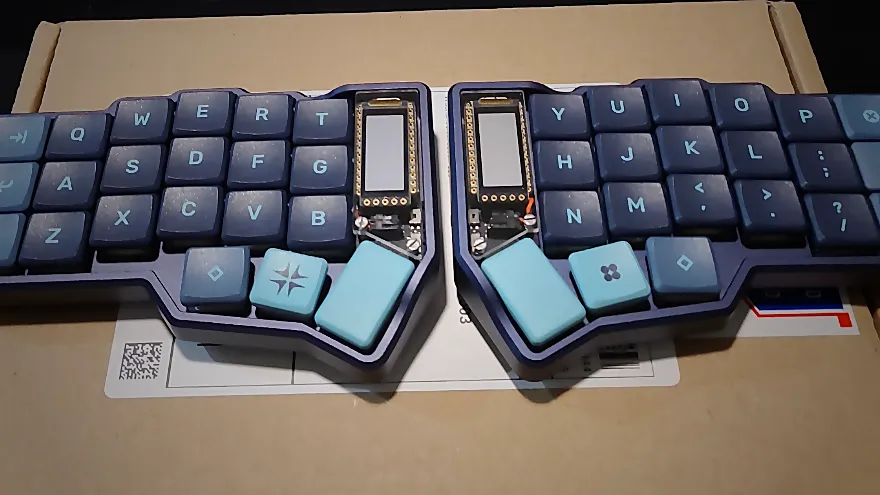
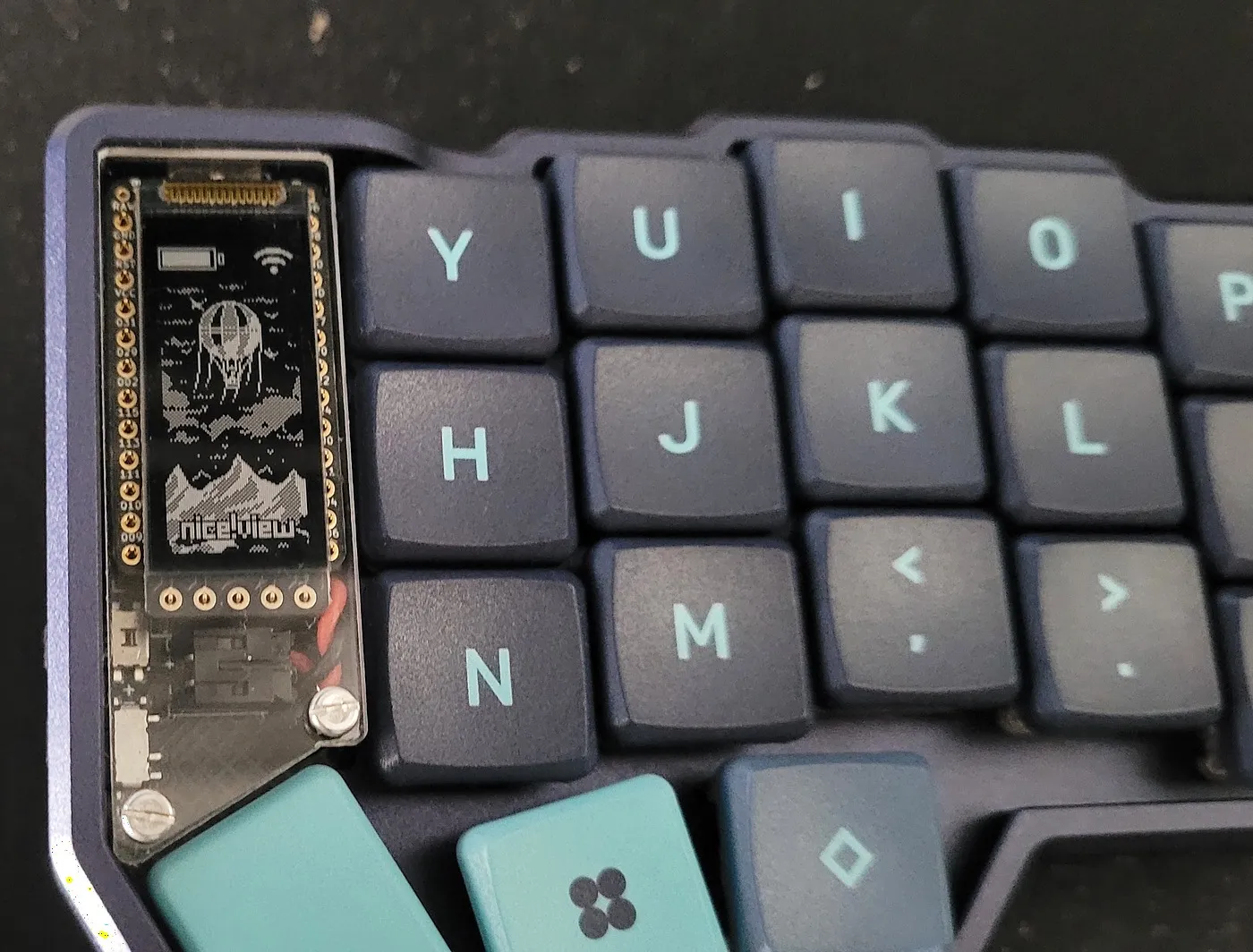
Each half of the Corne has its own nice!view, a small low-power display that shows battery and connection at a glance.
Two Glove80s
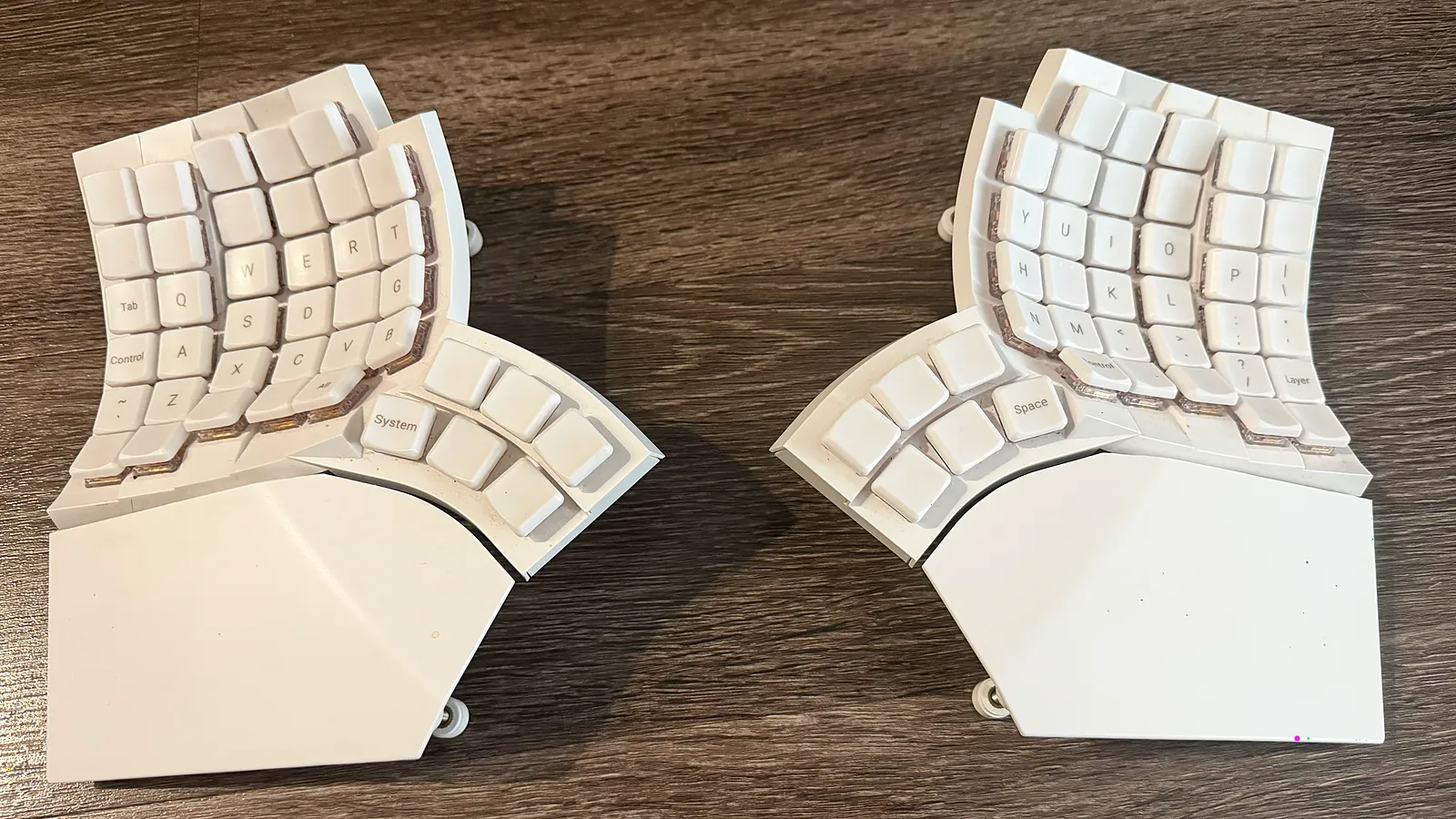
The Glove80 has 80 keys set into curved wells, so each finger travels a short, straight path.
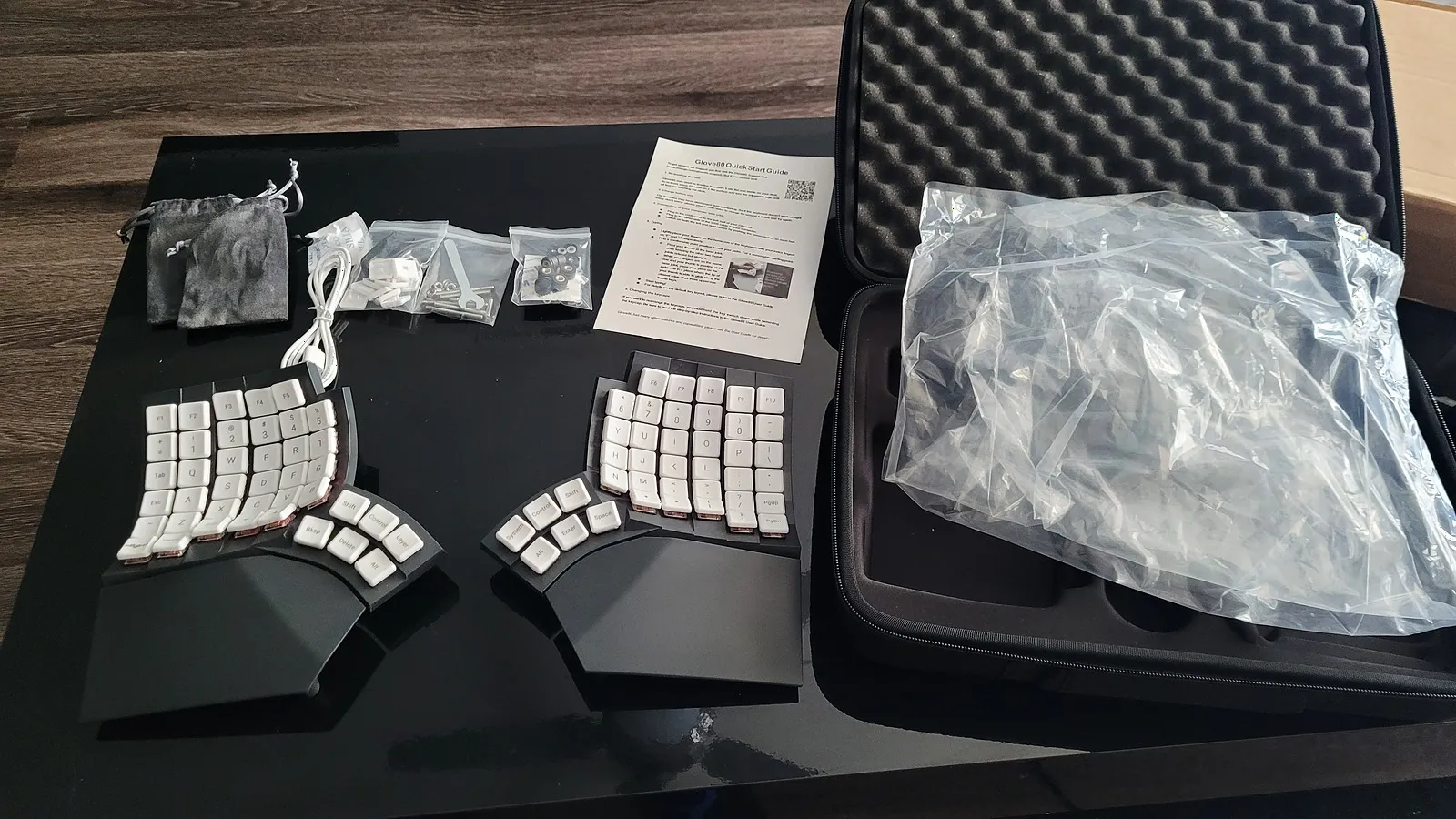
It arrives ready to use, with a travel case and the hardware for adjusting its tilt.
For a while I owned two. I bought the second mainly to try a different switch. Everything else about the two was identical, which made the comparison a fair one. They are the white and the black boards in the photo at the top.
| Board | Switch | How it feels |
|---|---|---|
| White | Cherry Blossom | Light and easy to press |
| Black | Red linear | Heavier, I had to press deliberately |
I favour the Cherry Blossoms. They take less force to actuate, so typing on them is easier and more comfortable over a long day.
On the linear reds I noticed myself typing harder. Nothing is wrong with them, but after going back and forth, the lighter switch is the one my hands choose.
So I sold the red linears and kept the Cherry Blossoms.
Why I use 42 keys
For all that, I do not use the Glove80 day to day any more.
The reason is the extra keys. A Glove80 has 80 of them, and I do not use most of the ones beyond the core block. My layout fits in 42 keys, with numbers, symbols and navigation on layers under the thumbs.
Once the layers are in your hands, the extra keys stop being a convenience. They are further to reach than a layer is to hold.
So the board I type on most is the Corne, which has exactly those 42 keys and nothing else.
The layout
The Corne has three layers: Base, Lower and Raise. With 42 keys there is no number row, so digits, symbols and navigation live on the two extra layers, reached with the thumbs.
The Glove80 has nearly twice the keys, but I use the same core layout on it. Its keymap is longer, at just over a thousand lines, because the extra keys carry shortcuts the Corne reaches with layers.
Tap-hold keys
Several keys do two jobs: tap for a character, hold for a modifier. I keep these off the home-row letters and on the outer pinky columns, where I am less likely to roll across them.
The hard part is timing, because fast typing can look like a hold. These are the settings that work for me:
- Tap-preferred: a key resolves as a tap unless it is clearly held.
- A 180 to 200 millisecond hold time, depending on the finger.
- A short idle requirement: a key pressed within 50 to 100 milliseconds of the previous one is always a tap, which stops rolls from firing a modifier.
Both Shift keys are sticky, and combos cover a few keys the small board has no room for. The details are in Tap-hold keys that do not misfire.
The same 42 keys on the laptop
When I am away from an external keyboard, I use the MacBook’s built-in one, and I have set it up to behave like the Corne.
kanata, a software remapper, makes the laptop keyboard act as a 42-key board. Every key outside that block is switched off.
The catch is the thumbs. A Corne has three thumb keys on each side, and a laptop has one long space bar with a modifier either side of it.
To get three thumb keys per hand, I shifted the whole layout up one row:
- The number row becomes the top letter row, so
Q W E R Tsit where1 2 3 4 5are printed. - The home row moves up to where the top letter row is printed.
- The bottom letter row, with
ZandXand the Shift keys, moves up to the printed home row. - That frees the printed bottom row,
Z X C V B N M, to become the thumb keys.
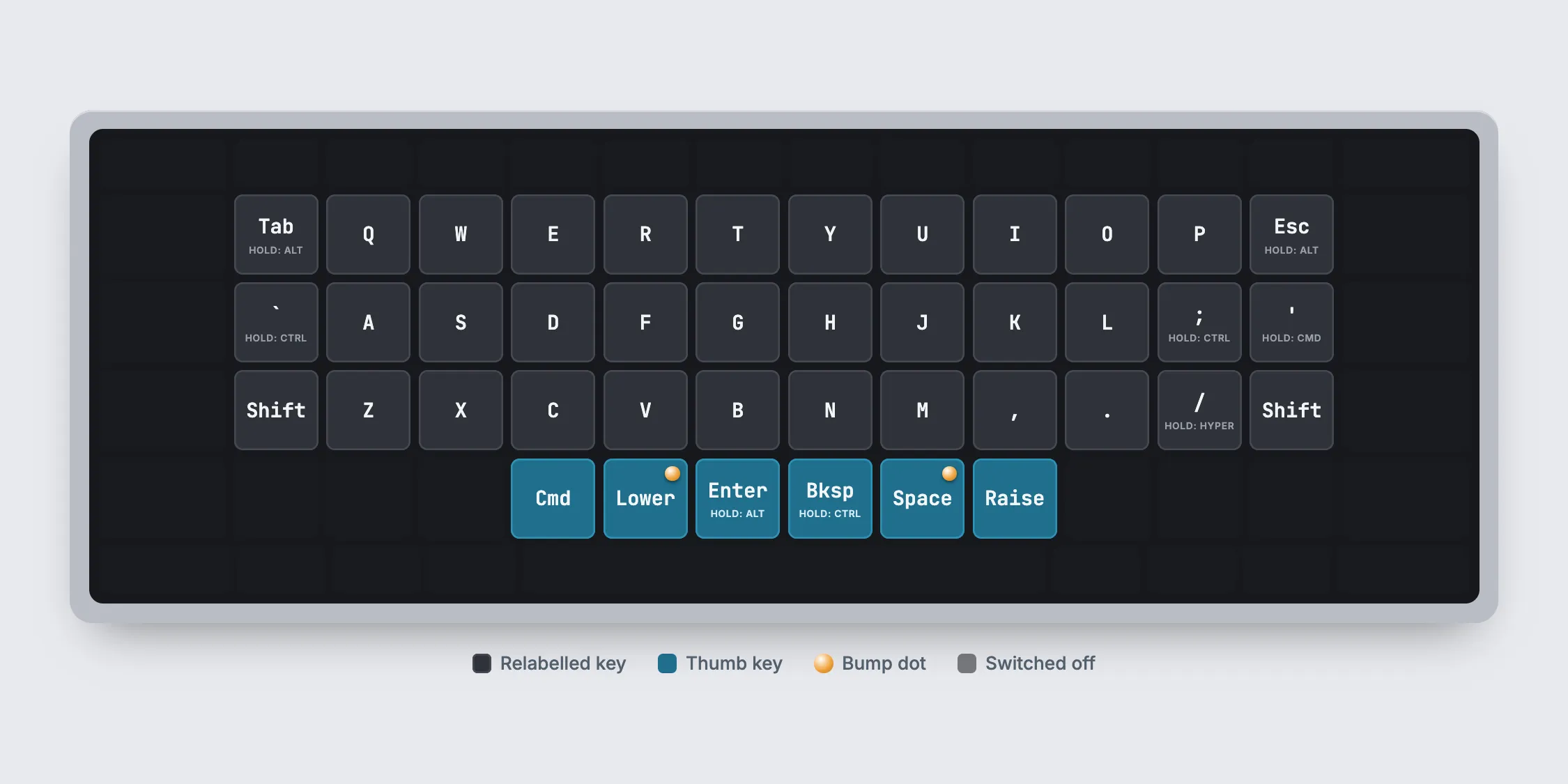
Out of the box that looks wrong, because none of the printed legends match what the keys do. Two cheap additions fixed that.
- Stick-on labels. I relabelled the keys to match the layout, so
Qreally is on the key that typesQ. It helps more than I expected, mostly on the days I am tired and glance down. - Bump dots. These are the small raised stickers sold for accessibility, to mark buttons by touch. A pack costs a few dollars on Amazon. I put one on each of the two main thumb keys, so my thumbs find home without looking, the same way the ridges on
FandJguide the index fingers.
The keyboard is not pretty any more. But my hands find the same layout on every keyboard I own, and that is worth more to me than a clean laptop.
Building the firmware
The keymap is a text file, and a push builds it. GitHub Actions compiles the firmware for each half, and the result is a file I drag onto the keyboard over USB.
The Glove80 config can also be built locally with Nix or Docker, for when I want to test a change without pushing it.
Keeping them in step
A change to one keymap has to be made in the others by hand. The three configs are different formats, so there is no shared source to generate them from, and mirroring is a chore I accept for now.
What I would tell someone choosing
- Try a lighter switch. I did not expect actuation force to matter as much as it does.
- Count the keys you use. If a layer gets you there faster than a reach, more keys are not helping.
- Make every keyboard the same. A layout you only have at your desk is one you have to unlearn everywhere else.